
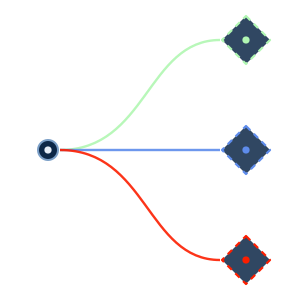
Node-based canvas
Compose flows from action, utility, AI, agentic, and service nodes. Branch on pass, fail, or always. Run sub-flows as retryable units.
Engineers design flows on a node-based canvas, execute them through a deterministic orchestration engine, and receive AI-assisted interpretation at the point of need. Every model runs locally. No operational data leaves the workstation.
Operational processes today live in human memory, undocumented scripts, and legacy knowledge. Flow turns them into visible, reusable flows. You design a flow once, review it like code, and execute it with a full audit trail.
Compose flows from action, utility, AI, agentic, and service nodes. Branch on pass, fail, or always. Run sub-flows as retryable units.
The orchestration engine keeps all execution authority. It handles concurrent branches, bounded retries, per-step destructive-action gates, and a complete run history.
AI models run on your machine through a pluggable inference engine. No inference data leaves the workstation. No model touches credentials or the network.
Every flow is a text document. You can version it, diff it, and review it in a pull request. The canvas and the DSL are two views of the same graph.
An internal app store for AI capabilities. It distributes models that are versioned, checksum-verified, and governed, and it does so without a platform update.
Shared flow templates with version pinning, so the whole team runs the validated flow instead of re-improvising it.
Flow calls this Reasoning-Augmented Orchestration: AI-assisted interpretation runs inside deterministic execution, and the orchestration engine always keeps execution authority. Models have no network paths, no file system access, no credential access, and no ability to spawn processes. You do not need to trust the model. You need to trust the boundary.
A PII sanitizer redacts credentials, hostnames, and dataset names before any text reaches a model, and every privileged operation executes strictly in the user's authenticated context.
| Subsystem | Credentials | Network |
|---|---|---|
| User Interface | NO | NO |
| Host Process | YES (sole custodian) | YES (CLI operations) |
| CLI tools | YES (delegated) | YES (to target systems) |
| Reasoning Domain | NO | NO (zero network) |
| PII Sanitizer | NO | NO |
All communication passes through the Orchestration Engine. No lateral paths exist between layers.
Every edition shares the same Rust orchestration core and catalog-driven node registry. What changes is the shell, the execution locus, and the client surface.
The desktop edition and the shipped foundation. It gives you a multi-tab canvas, Model Hub, Template Hub, and agentic runs, and it is zero-egress by default.
The VS Code edition is a native sidebar. The selected model generates a Flow DSL, and the orchestrator runs it in-editor while the model monitors the run. The engine owns every file and shell action. A JetBrains plugin that re-hosts the same edition is planned.
The same platform hosted on your own private cloud instance. Inference runs inside the instance, never sent to a third-party model service.
A headless runner that executes Flow DSL directly on the shared core, plus a full-screen TUI. It is built for terminals and CI pipelines.
Flow Mobile and Flow Edge are exploratory editions that slot into the same structure.
Flow DSL defines execution graphs in a textual, versionable, deterministic format. Store flows in source control, review them in pull requests, diff them across versions, and share them between teams. The canvas and the DSL are two representations of the same execution graph.
You can also avoid typing the DSL yourself. Describe the flow, and a local model generates the DSL. It renders on the canvas for review before anything runs.
Any saved flow can take a schedule. You can use an hourly-to-yearly preset or an arbitrary cron expression, computed in its own timezone with DST handled. Catch-up policies cover windows that were missed while the host was down. The background scheduler runs in Flow Studio, inside a Flow Server instance, and as a standalone CLI daemon, and all three share one schedule store.
Scheduled runs land in the same audited history as manual ones, so the operator reviews exceptions, not green runs.
Systems programmer, customer site
Web UI, FTP, TSO RECEIVE, JCL editing, and return-code archaeology collapse into a single template with the toolkit fetched and pinned per run.
An hour-long, four-system relay becomes a one-click template
Developer
JCLCheck, submit, status poll, and spool fetch are wired into one chain and saved as a personal loop. You re-run it on every edit.
Four manual commands and three waits become one click per edit
Product QA engineer
The flow provisions, configures, tests, publishes, and tears down on a schedule for each security manager fork. It auto-snapshots on fail.
Cross-product breaks caught on schedule, before GA
Install Flow, design your first flow, and keep every byte of inference on your own machine.